MidwestDSM
Dec 6 2006, 10:09 PM
Alright, keep in mind I've never had to plug my logger into my PC before.
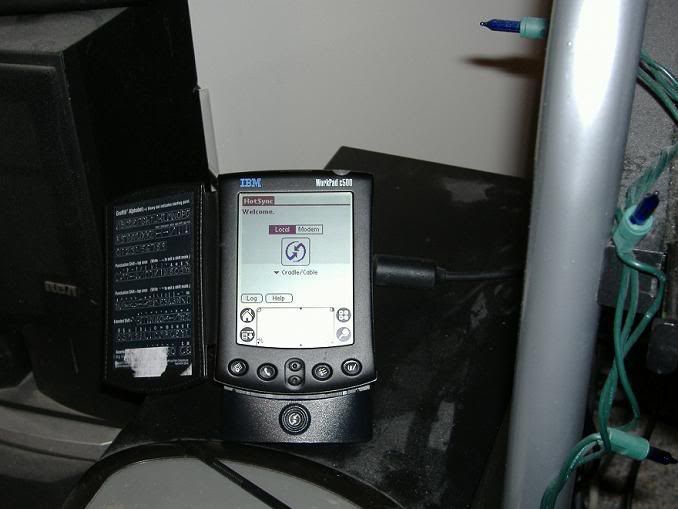
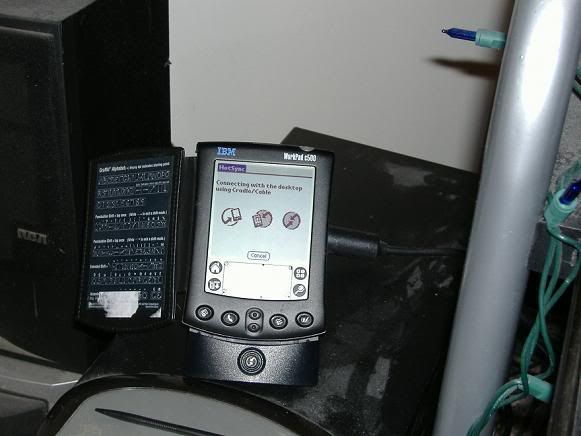
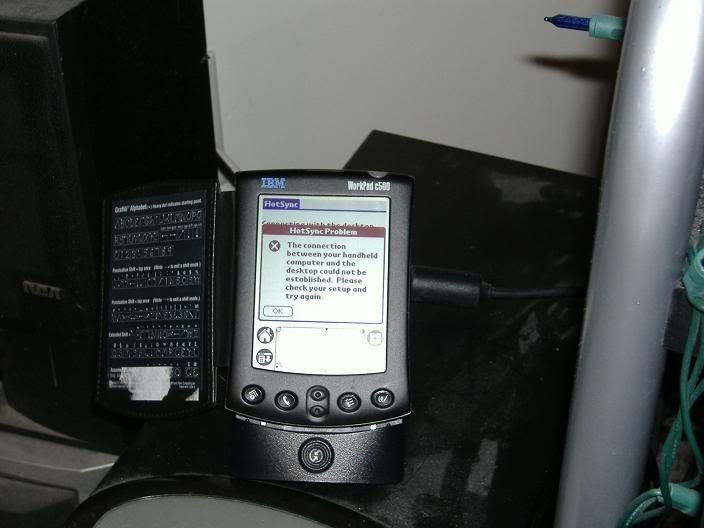
I've got a Palm Workpad c500. I've got the seriel sync cable (says its for a m500 or m505, but it plugs right into mine). I plugged it into my serial port on the PC, but it won't connect so I can put the logger software Budmann sent me back on the Palm. Is the problem in the cable, or is it user related?

MidwestDSM
Dec 6 2006, 10:11 PM
actually, come to think of it, this is my first time using this logger period, last time I used turbohcars...
turbohcar
Dec 6 2006, 10:51 PM
Couldn't tell ya bud. I'll have to come over and try to figure it out some time. I had a bit of trouble getting mine to sync at first. We'll see how well I remember.
MidwestDSM
Dec 6 2006, 11:09 PM
awesome. i'm picking up that eprom from scrapin sometime in the next couple weeks and throwing on the translator, I imagine I'm gonna need to do some serious logging to get everything straightened out.
treydawgs4g63T
Dec 7 2006, 01:57 AM
i used to have a similar problem and all i had to do is leave the palm plugged in my computer and restart it. worked for me so you never know.
MidwestDSM
Dec 7 2006, 08:42 AM
hrm, ill give that a try
BudmannG
Dec 10 2006, 11:16 AM
Do you have all the palm software on your pc? Is all the mmcd software on your pc? This will have alot to do with it also.
First get the palm software from there website. Run it and then try your mmcd software. It should work fine after that.
MidwestDSM
Dec 10 2006, 09:39 PM
downloaded the palm software, still won't sync. Just initializes, then says unable to sync. I don't know what I've doing wrong, I tried to sync cable, and the cradle, neither will connect. This is rediculous, now I know why Palm is obsolete

BudmannG
Dec 11 2006, 07:58 PM
Have you looked to see how it is connecting? It should have a way to change it from sync cable to blue tooth and another option. But make sure it is set to sync cable. Try booting your computer up with it connected.
I am not much help unless it is setting in front of me, Sorry.

mitsu90
Dec 11 2006, 08:43 PM
had that problem with mine. it was set to USB not serial
MidwestDSM
Dec 11 2006, 09:13 PM
MidwestDSM
Dec 11 2006, 10:56 PM
ok, it works now. Not sure what the problem was, I reset the palm twice, and tried it on my computer and my roommates, finally worked on his. What an ordeal.
turbohcar
Dec 11 2006, 11:07 PM
GOOD! Now get to logging! Before you put the MBC on make sure it's not knocking at stock boost levels and that Injector DTC is within specifications. Just run a log and post it here.
mitsu90
Dec 12 2006, 11:09 AM
good deal
MidwestDSM
Dec 13 2006, 12:30 AM
got it logged tonight. Still running stock fuel system, duty cycles are 105%ish at the top end of 2nd and 3rd at WOT, upper teens knock count. Guess its time to check for boost leaks and upgrade fuel.
turbohcar
Dec 13 2006, 10:41 PM
Definitely DON'T put that MAF on that I gave you if you're seeing those readings. Do a boost leak check and I'll come over and help you set the timing.
MidwestDSM
Dec 14 2006, 01:06 AM
sounds like a plan, I dont have a timing light.
I'll probably start checking for leaks saturday. Guess its a good thing I've been driving it like a pansy.
MidwestDSM
Dec 25 2006, 11:16 PM
alright fellas, another question!
I got my EPROM put in tonight, took it around for a half hour or so, staying off the gas, letting it get used to the car. Drove it a couple times, threw on the logger to see if the new ECU has changed anything. Now the logger won't connect with the new ecu, it just keep going to pause every 3 seconds without getting any readings. Anyone else ever experienced this?
MidwestDSM
Dec 26 2006, 03:56 PM
fixed
This is a "lo-fi" version of our main content. To view the full version with more information, formatting and images, please
click here.